
TL;DR
A solid brand guide is the difference between a client who confidently uses their brand and one who emails you every two weeks asking what font to use. Your brand guide should cover the logo system, color palette, typography, brand voice, imagery direction, and clear usage rules for all of the above. The more thorough and organized your document is, the more professional your handoff looks and the less back-and-forth you deal with after the project closes.
You just wrapped up a branding project. The client is happy, the final files are ready, and now you need to pull together the brand guide before you can officially close things out. If you’ve ever sat there staring at a blank document wondering what actually needs to go in there, this post is for you.
A brand guide (sometimes called a brand guidelines document or brand style guide) is the reference document you hand your client so they and their team can use the brand consistently after you’re done. Done well, it protects the integrity of the work you just created. Done poorly, or skipped entirely, and you’re setting both yourself and your client up for a mess.
So let’s get into exactly what every brand guide should include.
The Logo System
This is the foundation of any brand guide, and it’s more than just dropping in the final logo file.
Your brand guide should show every logo variation: the primary logo, any secondary or alternate lockups, the submark or icon, and the favicon version if there is one. Beyond showing the logos, you need to document the rules around how they’re used.
That means including:
- Clear space rules: How much breathing room the logo needs on all sides
- Minimum size: The smallest the logo can be reproduced without losing legibility
- Approved color variations: Which versions are for light backgrounds, dark backgrounds, and one-color uses
- Incorrect usage examples: Show what not to do (stretching, recoloring, adding effects, placing on a busy background) so there’s no guesswork
Clients who don’t work with designers regularly genuinely don’t know these things. Your brand guide is where you teach them.

The Color Palette
Your brand guide should document every color in the palette with enough information for someone to reproduce it accurately across any medium.
For each color, include the HEX code, RGB values, and CMYK values. If the brand will ever be used in print at a professional level, include the Pantone (PMS) color as well. A lot of designers skip the CMYK and Pantone values, and it creates real headaches for clients later when they go to print something and the colors don’t match. If you want to go deeper on why Pantone values matter for print, ArtVersion has a solid breakdown.
Beyond listing the codes, note which colors are primary (used most often), which are secondary (used to support the primary), and which are accent colors (used sparingly for emphasis). A short note on how the palette should be balanced goes a long way too.

Typography
Typography is one of the most commonly misused parts of a brand once it’s in a client’s hands, so your brand guide needs to be specific here.
Include every typeface in the brand system, the font weights that are approved for use, and clear guidance on where each is used. So the heading font goes on headline copy, the body font goes on paragraph text, and so on. If there’s a hierarchy, show it visually.
Also include the fallback or system font. Not every platform supports custom fonts, and when a client is putting together an email newsletter or a Google Doc, they need to know what to use instead of just picking whatever looks close.
If there are any fonts that are licensed and need to be purchased separately, flag that clearly in your brand guide so there are no surprises.
Brand Voice and Messaging
This section often gets left out of brand guidelines, especially in shorter projects, but it makes a significant difference in how consistently the brand shows up over time.
Your brand guide should describe the brand’s personality in a way that’s practical and actionable. Not just “the brand is friendly and professional” but what that actually sounds like in copy. What words and phrases align with the brand? What tone should be avoided? Is the brand formal or casual? Does it use humor?
If the project included brand messaging, include the mission statement, tagline, and any key phrases or statements that are part of the brand’s core communication. Even a few clear examples of on-brand vs. off-brand language is enough to give a client (or their copywriter or social media manager) a useful reference.
Imagery and Photography Direction
If the brand has a visual direction beyond the logo and color palette, that needs to be in the brand guide too.
This doesn’t have to be complicated. It can be as simple as a moodboard-style page that shows the kind of imagery, photography, or illustration that fits the brand, alongside a few examples of what doesn’t. The goal is to give whoever is sourcing images or creating content a clear sense of the brand’s visual world.
Note things like: Is the photography light and airy or moody and dramatic? Are lifestyle images preferred over flat lays? Does the brand use illustrations, and if so, what style? These details help the brand stay cohesive across social media, website updates, and marketing materials even after you’re long out of the picture.
Iconography and Graphic Elements
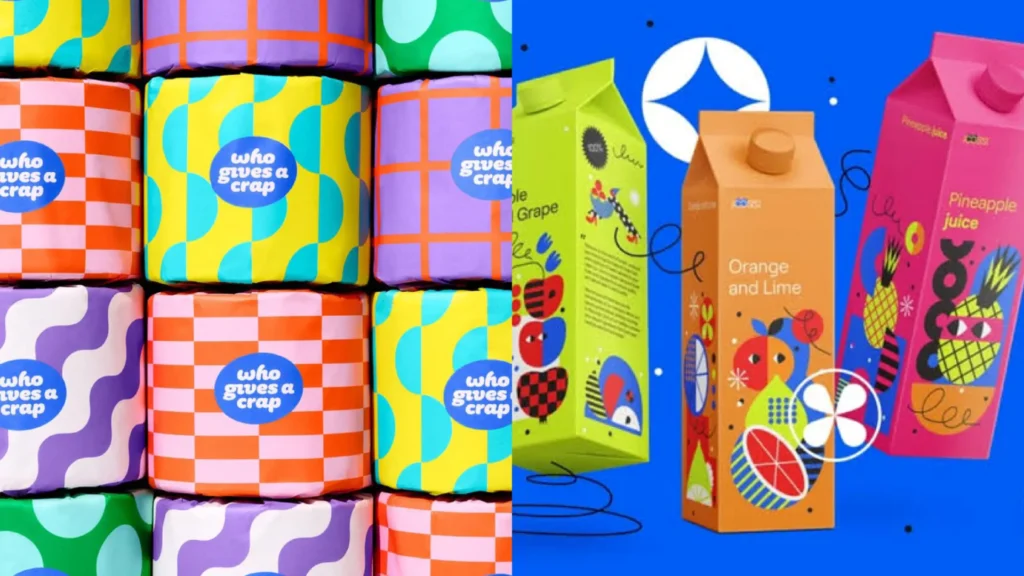
If you created any brand patterns, textures, icons, or graphic elements as part of the project, include them in the brand guide with instructions on how they’re meant to be used.
This is especially relevant if the brand has a distinct visual system beyond the logo and palette. Show the graphic elements in context, note any scale or color restrictions, and include a few examples of how they work alongside other brand assets.
File Organization and Asset Overview
A small but genuinely useful section to add toward the end of your brand guide is a quick overview of the file package you’re handing off.
Tell your client what files they’re receiving, what format each one is in, and when they’d use each format. For example: the PNG files are for digital use, the SVG or EPS files are for printing and scaling, and the PDF is for sharing with vendors. Most clients have no idea what to do with a folder full of file types. Walking them through it in the brand guide means fewer emails asking “which file do I send to the printer?”

A Note on Keeping It All in One Place
All of these sections are what separate a polished, professional brand handoff from a chaotic folder of files with a vague “here you go” message. The brand guide is what ties everything together, and it’s also a reflection of how thorough and professional your process is.
If building this document from scratch every time sounds exhausting, that’s exactly why I put together the Brand Guidelines Template. It’s a fully structured, clean brand guide template available in Adobe Express, InDesign, Illustrator, and Affinity, so you can drop in the assets and close out the project without spending hours formatting. It already has all the sections covered in this post built right in.
The brand guide is what ensures the brand you created gets used correctly after you’re done. And the stakes are real, research cited by Marq shows brand consistency can increase revenue by up to 23%, which is a pretty compelling reason to make sure your client actually has the tools to stay consistent.
How Detailed Should a Brand Guide Be?
There’s a real range here. A small personal brand project might call for a shorter, more focused brand guide, while a larger business brand with multiple team members and vendors might need something more comprehensive.
As a general rule: the more people who will be working with the brand, the more thorough the brand guide needs to be. If you want a fuller breakdown of what brand guidelines should cover at different scales, The Brand Strategy Lab has a good resource for that.
What Format Should a Brand Guide Be In?
Most designers deliver brand guides as a PDF so the document is easy to share, view on any device, and print if needed. That said, the tool you use to build it is up to you.
Adobe InDesign is a popular choice for its layout flexibility. Adobe Illustrator works well for designers who prefer a vector-based setup. Adobe Express is a solid option if you want something quicker to work with. Affinity Publisher is great for designers in the Affinity ecosystem who don’t want to deal with a Creative Cloud subscription.
Whichever tool you’re working in, the Brand Guidelines Template has you covered. It’s available in all four formats so you can use whatever fits your existing workflow.

Next Steps: Start This Week
If you have a branding project wrapping up soon, or even an old one where you delivered a minimal handoff, here’s what you can do this week.
1. Audit your current handoff process. Pull up the last brand guide you sent a client. Does it cover all of the sections above? Make a note of what’s missing.
2. Build a template you can reuse. The goal is to never start from scratch again. Whether you build your own or use a ready-made one, having a go-to structure speeds up every project close.
3. Add the brand guide to your contract scope. If you’re not currently including a brand guide as a deliverable in your project scope, it’s worth adding. It protects your work, elevates your process, and gives clients something genuinely useful.
4. Grab the template. If you’d rather skip the setup time and get straight to filling it in, the Brand Guidelines Template is $47 and ready to go in Adobe Express, InDesign, Illustrator, and Affinity.
Frequently Asked Questions
What is a brand guide and why do you need one?
A brand guide (also called a brand style guide or brand guidelines document) is a reference document that outlines how a brand should be presented visually and verbally. It includes the logo system, color palette, typography, brand voice, and imagery direction. You need one so that everyone who works with the brand, from the client themselves to their team, vendors, and contractors, uses it consistently.
What should be included in a brand guide?
A thorough brand guide should include the logo system (all variations and usage rules), the color palette (with HEX, RGB, CMYK, and Pantone values), typography (typefaces, weights, and hierarchy), brand voice and messaging guidelines, photography and imagery direction, any graphic elements or patterns, and a brief overview of the file package being delivered.
How long should a brand guide be?
There’s no single right answer. A lean brand guide for a small personal brand might be 8 to 12 pages. A more comprehensive guide for a business with a larger team or multiple brand touchpoints might run 20 to 30 pages or more. The priority is clarity and completeness, not page count.
What format should I deliver a brand guide in?
Most designers deliver brand guides as a PDF since it’s universally accessible, easy to share, and preserves the formatting. The document can be built in Adobe InDesign, Illustrator, Adobe Express, or Affinity Publisher before exporting to PDF for delivery.
Do I need to include a brand guide in every branding project?
Yes. A brand guide is what ensures the brand you created gets used correctly after you’re done. Without it, clients are likely to stretch the logo, use the wrong fonts, or pick colors that don’t match, which undermines the work you put in. Including it as a standard deliverable is a sign of a thorough and professional process.
Can I use a template for my brand guide?
Absolutely. Using a template doesn’t make your work less professional, it makes your process more efficient. A well-structured brand guide template gives you a consistent, polished starting point for every project so you’re not rebuilding the document from scratch each time.