
TL;DR
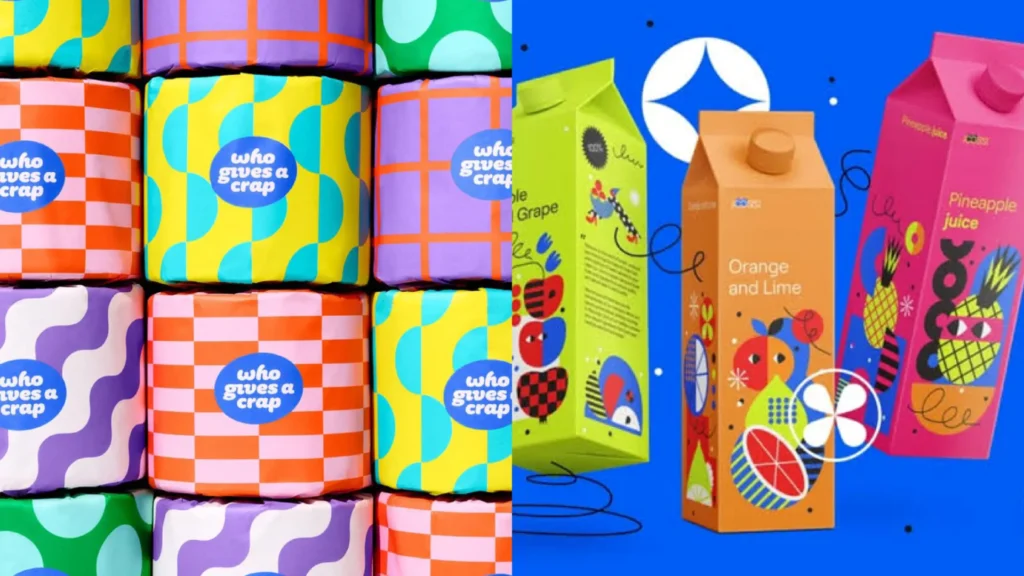
Figma Config 2026 landed today with six major announcements: Code Layers, Figma Motion, AI-generated shader fills and effects, generative plugins, Weave tools on the main canvas, and an upgraded Figma agent. The short version is that Figma is working to become the single workspace where design, code, motion, and AI all live in the same file. Some features are available now, others are rolling out in beta or later this year. As with most Figma AI features, credits will apply at general availability, and some of the more advanced tools require a paid plan.
If you opened any design-related social media feed today, you’ve probably already seen the “Figma killed Adobe” hot takes making the rounds. Figma Config 2026 is officially here, and the announcements really are a lot to absorb at once. So let’s slow down, go through what actually got announced, and figure out what any of it means for your work.
The Big Picture: What was Announced at Figma Config 2026
Config 2026 took place on June 24 at the Moscone Center in San Francisco, with Figma’s chief product officer Yuhki Yamashita leading the keynote. The through-line of everything announced was one central idea: code, motion, shaders, and AI tools should all live on the Figma canvas, right alongside your components and your team, rather than scattered across separate tools.
The six headline announcements from Figma Config 2026 were: Code Layers, Figma Motion, shader fills and effects, generative plugins, Weave tools on the canvas, and an updated Figma agent with skills and connectors. Those are the six things on the table. Here’s what each of them actually does.
Code Layers: Design and Dev, Finally on the Same Canvas
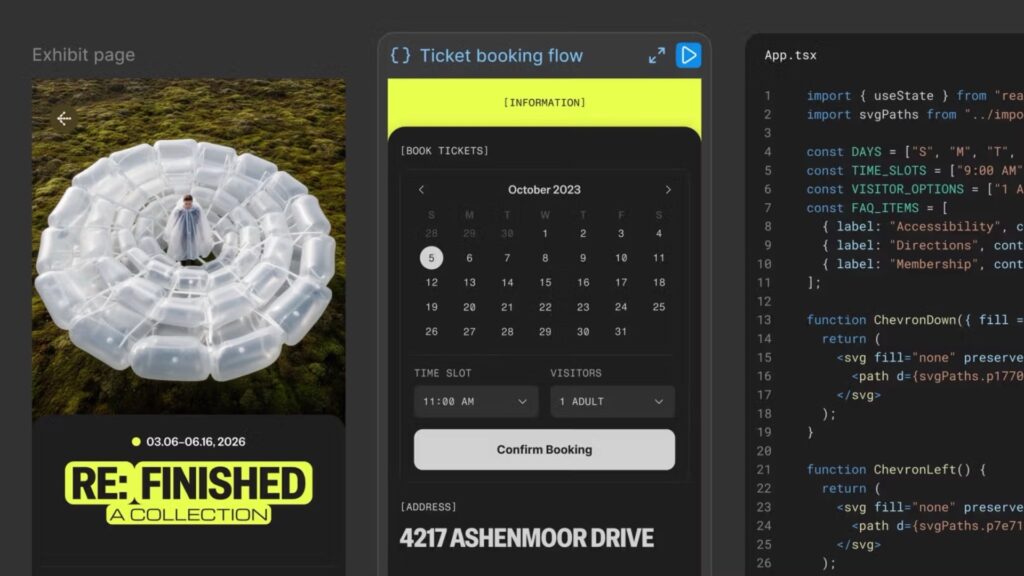
The most headline-grabbing announcement at Figma Config 2026 is Code Layers. The core idea is that you can now convert any design layer on your Figma canvas into an interactive code layer with a single click or a text prompt. From there, you can iterate on it, duplicate it to explore multiple directions side by side, comment on it, and collaborate with your whole team the way you would with any other design frame.
According to TechCrunch’s coverage of Config 2026, the system supports npm packages including motion libraries and 3D frameworks, enabling interactive elements from dropdown menus to shader effects without leaving the canvas. Teams can also clone repositories and extract flows from code into design layers for testing, which collapses a handoff step that has sat between designers and developers for over a decade.
Yamashita framed Code Layers as changing how designers, product managers, and engineers collaborate on ideas, not just how they hand things off at the end of a project. The spatial format of the canvas lets teams iterate without the pressure of writing production-ready code from the start, which is a genuinely different way of thinking about where that design-to-dev conversation begins.
One thing to know: Code Layers early access begins in July. It’s coming, but not quite available today.
Figma Motion Is Here, and Your Workflow Just Changed
This one is available right now, and for a lot of designers, it may be the Config 2026 announcement that actually changes your day-to-day the most. Motion now lives on the canvas, in the same file as your components, your variables, and your team, so your designs can come to life from day one.
Figma Motion adds a full animation timeline including keyframes, presets, and the ability to ask the Figma agent to generate a starting point from a prompt. Export options include CSS, JSON, React, MP4, WebM, Animated SVG, and GIF. Previously, if you wanted to animate something properly, you were jumping out to a separate tool entirely — if you’ve been using Cavalry Pro for motion work, this is the Figma Config 2026 announcement most worth paying attention to for your specific workflow.
The bigger structural implication is that motion can now be a component of your design system. You animate a component once, and that animation travels with it everywhere it’s used across your file and your team’s files, the same way fills and typography do. For teams maintaining large design systems, that shifts motion from a development afterthought into an actual design decision made upfront.
For motion designers specifically, Figma’s pitch is that this removes the repetitive work so you can focus on the creative side of what you do. Whether the timeline is sophisticated enough for complex motion work will come down to how it holds up in practice, but the multi-format export capability alone makes it worth testing.
Shaders, Generative Plugins, and Weave Tools on the Canvas
These three Figma Config 2026 announcements are closely connected because they’re all about bringing AI-powered visual tooling onto the canvas in a composable way rather than as one-shot outputs.
Shader Fills and Effects let you describe what you want, or use an image as a reference, and the Figma agent generates the effect along with adjustable controls directly on the canvas. The feature uses WebGPU for effects like dithering, pixelation, frosted glass, polished chrome, halftone patterns, and particle effects. What makes this genuinely useful is that everything is parameterized. The output isn’t a static image you either accept or re-prompt. You get stackable, adjustable controls right on the canvas, and shaders can be keyframed in the motion timeline too, which means you can animate them.
Generative Plugins let you describe what you want a plugin to do, and the Figma agent writes the code. Accessibility auditors, layout generators, pattern tools, vector path tracers — anything you’d normally rely on a third-party plugin for, you may soon be able to just prompt into existence. Plugins built by Figma are free to use, and soon you’ll be able to publish tools you build to your team, organization, or the broader Figma community.
Weave Tools are now available directly inside the Figma canvas. Weave is the node-based generative workflow canvas Figma acquired (originally called Weavy), where you can connect AI models, transform assets, and compare outputs side by side. The Transfer Style tool, for example, lets you apply the visual style of one image to another. The full embedding of Weave workflows inside the main canvas is still scheduled for later this year, but the tools themselves are live now.
What Figma Config 2026 Means for Adobe and Your Tool Stack
This is the part of every Config breakdown where people start wondering whether to cancel their Creative Cloud subscription. So let’s be honest about where things actually stand.
The features announced at Figma Config 2026 land squarely in Adobe territory: native motion design, visual effects, shader-based fills, and AI-powered generative tools. Figma says 95% of Fortune 500 companies already build products in Figma, and the platform currently serves 13 million monthly active users. That’s a significant foothold from which to expand into adjacent creative workflows.
The competitive pressure in the design tool space right now is also worth understanding. Canva launched its own AI foundation model earlier this year, Adobe’s Firefly holds 41% business adoption, and Google unveiled Pics, an AI design tool inside Workspace, at I/O 2026. Every major player is making a move, and Figma Config 2026 is Figma’s clear answer to all of it.
What Figma is actually doing here is less “replacing Adobe” and more absorbing the reasons you’d switch between tools. The canvas was already where your components and prototypes lived. Now it’s where your animations, visual effects, and production code can live too. Every reason to reach for a separate application gets reduced.
That said, if your work lives heavily in print, photography, vector illustration, or video, Adobe’s ecosystem still covers ground that Figma doesn’t. If you’ve been weighing Adobe alternatives for brand design work specifically, I’ve got a full breakdown in Adobe vs Affinity: Choosing the Right Design Suite for You that’s worth reading alongside all of this. For screen-based workflows though, Figma Config 2026 significantly narrows the gap between what Figma can do and what previously required a Creative Cloud subscription.
What This All Actually Means for You
Figma Config 2026 is a clear statement of intent. Figma wants to be the single place where design, code, motion, AI, and your whole team work in the same file, rather than a handoff point between separate disciplines and tools.
The features most likely to change your workflow soonest are Motion and shaders/generative plugins, since both are available now. Code Layers are coming in July, so keep an eye out if dev collaboration is a regular part of your process. The Figma agent updates, including skills that package up your own workflows as reusable instructions, and connectors to tools like Notion, Slack, GitHub, and Atlassian, are also live and worth exploring if you use the agent regularly.
A few honest practical notes as you dig in: the AI features in Figma Config 2026 will eventually consume credits at general availability, though the agent is currently in beta and not yet consuming credits. Several of the more advanced tools are gated to paid plans. Figma’s Starter plan is completely free with no expiration, but premium AI prototyping, Dev Mode, and design system tools require a paid plan. Worth checking the pricing page directly to understand which Config 2026 features your current plan actually unlocks before you build new workflows around them.
The honest read on all of this is that Figma Config 2026 doesn’t feel like Figma chasing trends. It feels like a platform doing the real work of figuring out what a design canvas can become when code and motion are treated as materials the same way color and type are. Whether these announcements hold up once they’re out of beta is the real question, but what got announced today is worth paying close attention to.
Frequently Asked Questions
What was announced at Figma Config 2026?
Figma announced six major features at Config 2026 on June 24, 2026: Code Layers (executable code directly on the canvas), Figma Motion (a native animation timeline), AI-generated shader fills and effects, generative plugins created by prompting the Figma agent, Weave tools now available on the main canvas, and an updated Figma agent with skills, connectors, and team-visible chats.
Is Figma Motion free?
Figma Motion is available now as part of Figma Design, but like most advanced Figma features, it’s not available on the free Starter plan. Check the Figma pricing page for the current plan breakdown, as access tiers can change. I cannot confirm the exact plan tier for Motion without referencing the current Figma pricing page directly.
When do Figma Code Layers launch?
Code Layers early access begins in July 2026, following the keynote announcement at Figma Config 2026 on June 24, 2026.
What are Figma shader fills?
Shader fills are AI-generated visual effects you create by describing what you want or using an image as a reference. The Figma agent generates the effect using WebGPU, and the output comes with adjustable parameter controls directly on the canvas. Examples include halftone patterns, frosted glass, particle effects, dithering, and polished chrome surfaces. Shaders can also be keyframed in the Figma Motion timeline to animate them.
Does Figma Config 2026 mean designers no longer need Adobe?
Not entirely. Figma Config 2026 expands significantly into motion and visual effects, which are areas that previously required Adobe tools. However, Adobe still covers print, photography, video editing, and illustration workflows that Figma doesn’t address. For screen-based design work specifically, the Config 2026 announcements reduce the need to switch between tools considerably.
What are generative plugins in Figma?
Generative plugins are custom Figma plugins built by prompting the Figma agent with a description of what you want the plugin to do. You don’t need to write any code yourself. Examples include accessibility audit tools, layout generators, or vector pattern builders. Plugins built by Figma are free to use, and you’ll soon be able to share your own generative plugins with your team, organization, or the broader Figma community.